Blender-Addons-Presets
Blender Addons Presets
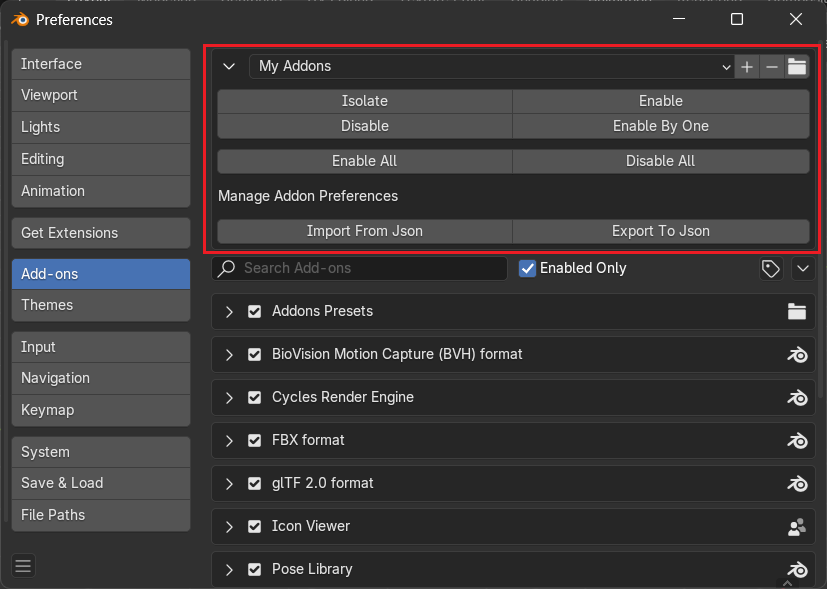
Addon that can create a preset from enabled addons.
 |
|---|
Import-Export Addon Preferences
This is a convenient feature for saving and loading any addon preferences using JSON files. This allows users to back up their settings, share configurations, or transfer preferences between Blender installations.
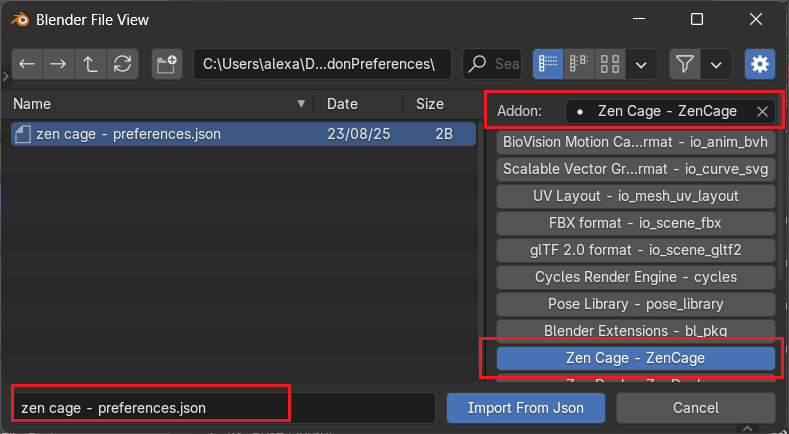
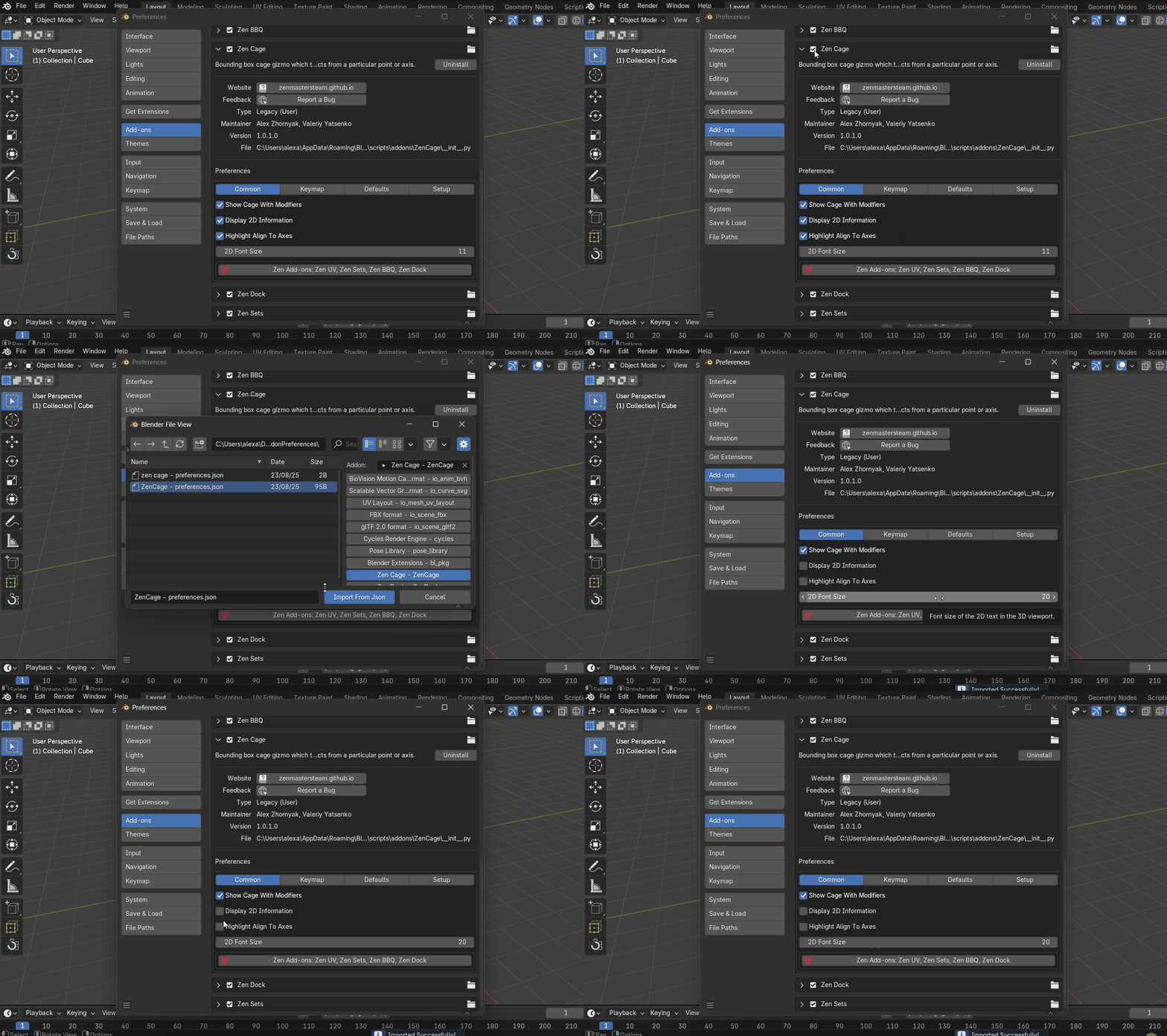
Import Preferences from JSON
Description:
Allows users to load saved preferences for a specific addon from a .json file.
 |
|---|
| Example to import Zen Cage addon preferences |
How it works:
- When the user clicks Import From JSON, a file browser dialog appears.
- The user selects:
- The addon they want to apply the preferences to.
- The .json file containing the saved preferences.
- Once confirmed, the preferences are loaded and applied to the selected addon.
Use case: Restoring a custom setup after reinstalling Blender or syncing settings across devices.
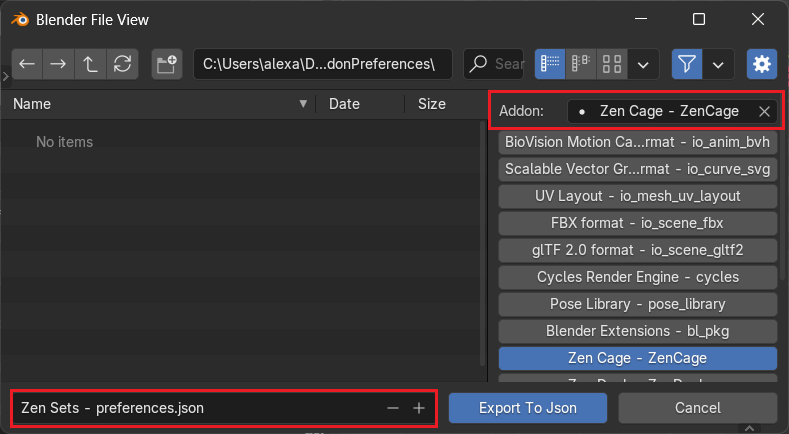
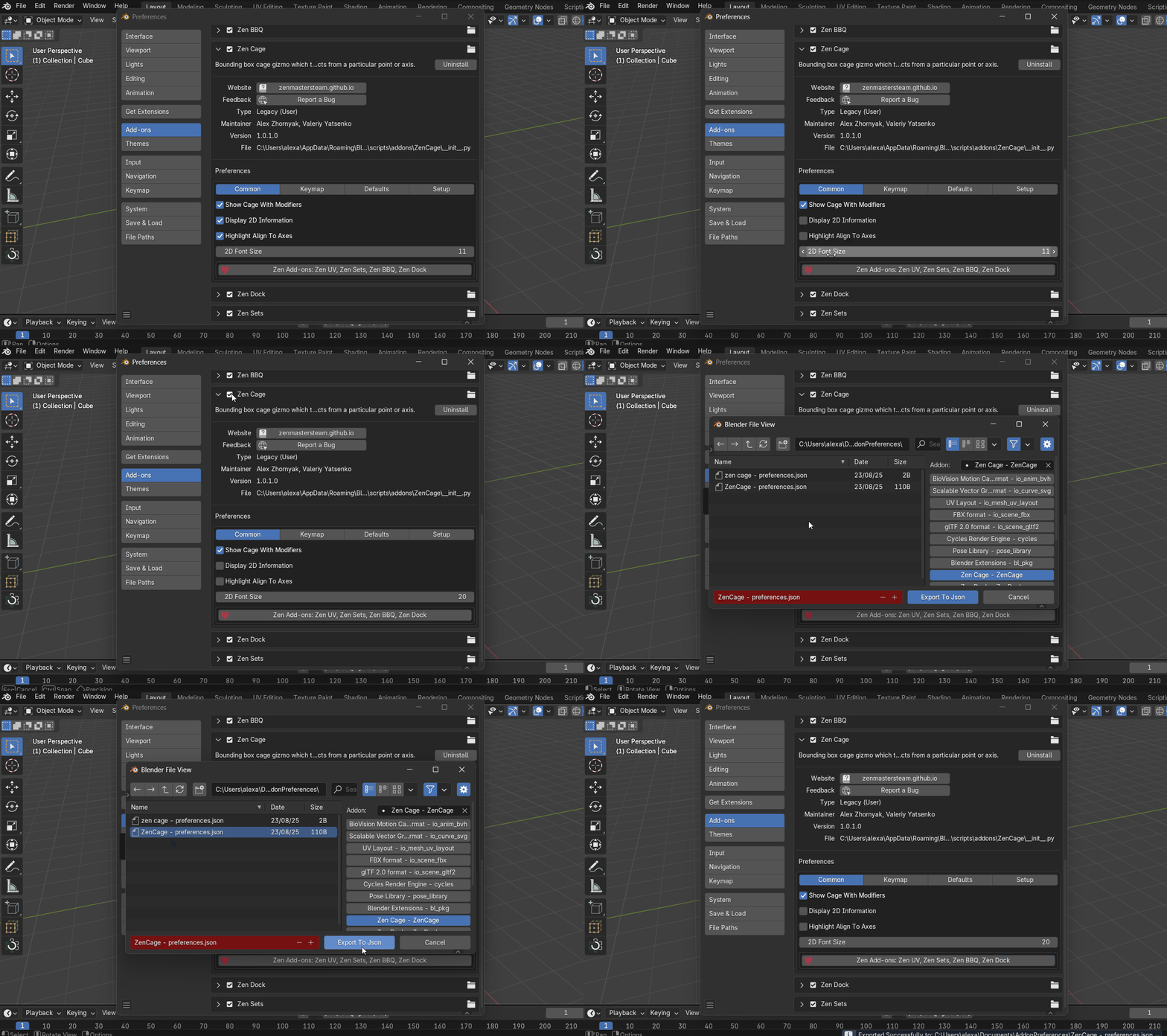
Export Preferences to JSON
Description:
Enables users to save the current preferences of a selected addon to a .json file.
 |
|---|
| Example to export Zen Cage addon preferences |
How it works:
- When the user clicks Export To JSON, a file browser dialog appears.
- The user selects:
- The addon whose preferences they want to export.
- The destination file path and name for the .json file.
- The preferences are then saved to the specified location.
Use case:
Backing up a preferred configuration or sharing it with collaborators.
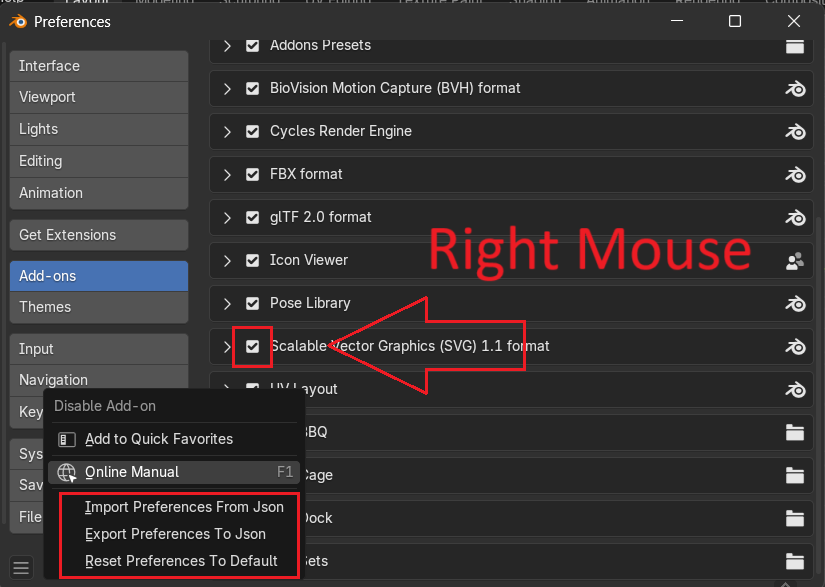
Context Menu on “Enable Addon” Checkbox
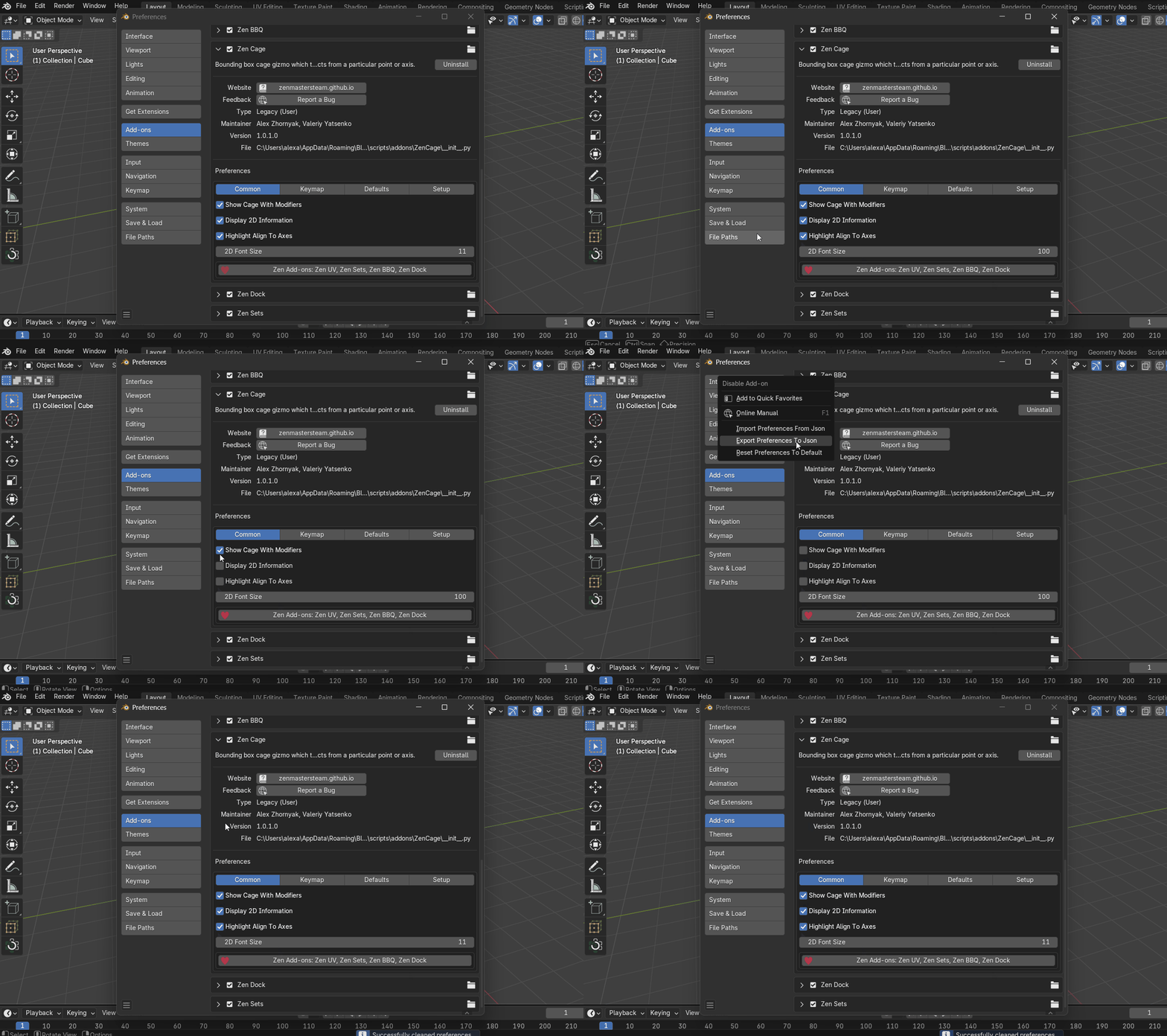
When the user right-clicks on the Enable Addon checkbox in the Add-ons section of Blender Preferences, a popup menu appears with the following options:
 |
|---|
Import From JSON using Context Menu
Description:
Load saved preferences for the selected addon from a .json file.
Behavior:
- Opens a file browser dialog.
- User selects the addon and the corresponding JSON file.
- Preferences are applied immediately after confirmation.
Purpose:
Restore a previous configuration or apply a shared setup.
 |
|---|
Export To JSON using Context Menu
Description:
Save the current preferences of the selected addon to a .json file.
Behavior:
- Opens a file browser dialog.
- User selects the addon and specifies the destination path.
- Preferences are saved to the chosen file.
Purpose:
Backup current settings or prepare them for distribution.
 |
|---|
Reset Preferences to Default
Description:
Revert the selected addon’s preferences to their original default values.
Behavior:
- Immediately resets all custom settings for the addon.
Purpose:
Quickly discard changes and return to a clean configuration state.
 |
|---|